

SeatGuru Delta is gone. Check the exact aircraft, not a static map.
The Delta map you bookmarked stopped updating years before SeatGuru shut. The fix is not a new bookmark — it is checking the exact aircraft your route flies today.
Reviewed by the SeatMap editorial team.
You booked a Delta flight, went to open the seat map out of old habit, and the bookmark led nowhere. SeatGuru, the site Delta flyers reached for by reflex, shut down on 31 October 2025, and the muscle memory has nowhere to go. This is the Delta-specific version of that problem: where do you check the seat now, and does the replacement actually do the job better.
The short version is that the tool changed and so did the method. The old habit was opening a saved map for "Delta 737". The better habit is checking the seat map for the exact aircraft flying your route, because on Delta those are two very different things.
Find the aircraft flying your route, then open Delta's seat maps. We hold checked layouts for 17 Delta types in service, from the A220 to the A350-900, plus the A350-1000 ahead of its first deliveries, each map page showing how many sources are on record for it. The change from SeatGuru is that you check the specific tail, not a generic Delta grid.
Why the bookmark stopped working
SeatGuru did not fail on shutdown day. It faded for years first. Its maps had largely stopped updating around 2020, so by the time TripAdvisor closed the site the Delta layouts were often showing cabins that had already been retired or refitted. A bookmarked map looked as authoritative as ever and was quietly out of date, which is the worst way for a reference to fail: silently. The full account of the shutdown and the alternatives sits in our companion piece; this guide is the Delta half.
The gap it left is real. For a lot of travellers, checking the seat map before a Delta flight was as automatic as checking the gate. That habit needs a new home, and it is worth using the move to fix the weak spot baked into the old one.
The part SeatGuru let you skip
Here is the thing the old workflow hid. Delta flies more distinct cabins under one booking than almost any US carrier, and the route you booked tells you very little about the seat you will sit in.
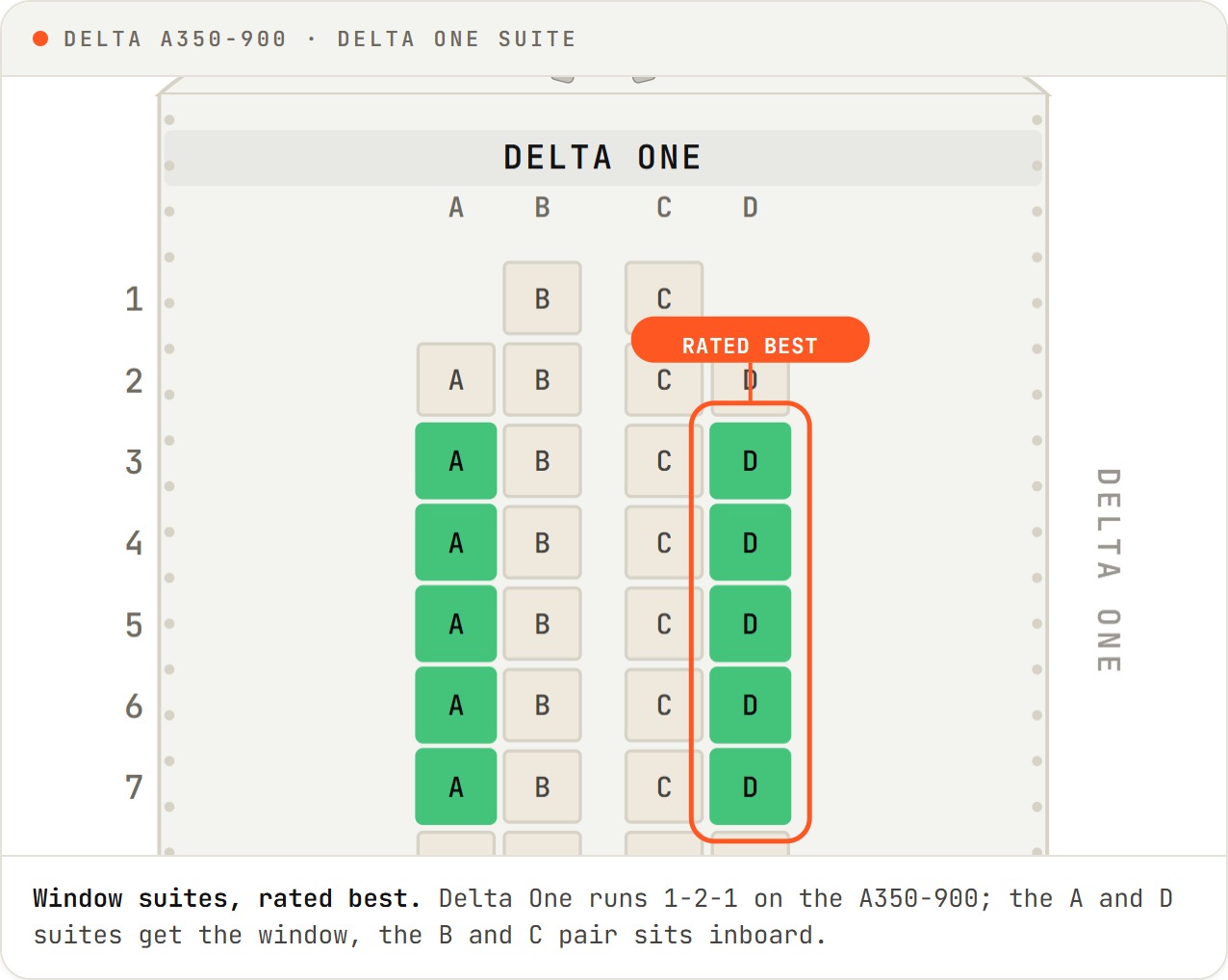
Take a transatlantic Delta flight. It might operate as an A330-900neo with Delta One suites and a Premium Select cabin, or an older 767-300ER with a different front-cabin experience entirely. Same route, same fare bucket, a genuinely different seat. Domestically it is the same story in miniature: a route can run an A321neo, a 737-900ER or a small A220 depending on the day's schedule, and each has its own layout, its own good rows and its own rows to avoid.
A generic "Delta 737 map" glosses all of that. The exact-aircraft check is the fix, and it is the one thing a static bookmarked map could not give you.
What a checked Delta map shows that a grid didn't
SeatGuru's strength was the colour: green, yellow, red, read at a glance. Its weakness was that the colour was the whole story. You saw a seat was flagged and rarely learned why.
The colour alone won't warn you: some Delta Comfort rows on the A321neo sit right beside a lavatory, and the bulkhead row on the 737-900ER trades underseat storage for its extra legroom. The note flags both before you book.
A checked map names the reason. Two examples from Delta's own fleet, both drawn from the seat data we publish:
- On the A321neo, several Delta Comfort (formerly Comfort+) rows sit directly beside a lavatory. You are paying for the extra legroom and getting the aisle traffic and the constant door swing with it. Worth knowing before you buy the row, not after.
- On the 737-900ER, the bulkhead row hands you extra legroom but takes away underseat storage and puts the wall close in front of you, with the tray table folded into the armrest so the seat is a touch narrower. That is a real trade, not a free upgrade.
Neither of those is visible in a colour. They show the difference between a map that summarises a seat and one that tells you what sitting in it is like. Each Delta map page shows how many sources are on record for it, and a note that names the reason can be specific enough to change the row you pick.
Where the coverage stands, plainly
The honest limit first: we do not yet carry every Delta configuration SeatGuru listed at its peak, and we would rather say so than pretend otherwise. What we do hold is checked maps for 17 Delta types currently in service, each map page showing how many sources are on record for it, plus the A350-1000 mapped ahead of Delta's first deliveries, expected in early 2027.
The published set covers the narrowbody fleet you actually meet on Delta most weeks:
- A220 — the -100 and -300, First, Delta Comfort and Delta Main
- Airbus narrowbodies — the A319, A320, A321 and A321neo
- Boeing narrowbodies — the 717-200, 737-800 and 737-900ER
And the widebodies for the long-haul flights, where the seat matters most:
- Airbus, in service — the A330-200, A330-300, A330-900neo and A350-900
- Airbus, ahead of delivery — the A350-1000, mapped now so the layout is ready when the aircraft arrives in 2027
- Boeing — the 757-200, 757-300, 767-300ER and 767-400ER
The in-service widebody maps carry all four cabins Delta sells on them: Delta One, Delta Premium Select, Delta Comfort and Delta Main (Delta renamed Comfort+ and Main Cabin for travel from 1 October 2025). If your flight is on one of these, the map for that exact tail is the one to open.
The new routine, in one line
| The old SeatGuru habit | The checked-map habit |
|---|---|
| Open a saved "Delta 737" map | Look up the exact aircraft on your booking |
| Trust the colour and stop | Read the note that explains the colour |
| One generic layout for every Delta 737 | A separate map for each Delta aircraft type |
| Same map after a cabin refit | A checked map gets rechecked and dated |
SeatGuru made checking the seat a habit. Losing it is a chance to make the habit a better one.
The old routine was: open the bookmark, trust the grid. The new one is barely longer and fixes the flaw that made the bookmark risky. Find the aircraft on your booking, open that specific Delta seat map, and read the note, not just the colour. It survives cabin refits, because a checked map gets rechecked, and it survives the aircraft swap, because you looked up the tail you are actually flying.
If you fly the same short domestic Delta route every week and know the hardware cold, none of this is for you — you already know your seat. It earns its minute on the long-haul and swap-prone routes, where one booking can seat you in a Delta One suite or an older cabin depending on the day.
Frequently asked
- Where do I check a Delta seat map now that SeatGuru is gone?
- Look up the specific aircraft flying your route, then open its seat map. SeatMap.app carries checked layouts for 17 Delta types in service, from the A220 up to the A350-900, plus the A350-1000 mapped ahead of Delta's first deliveries. Each map page shows how many sources are on record for it. The step that matters is matching the aircraft to your flight first, because Delta flies several different cabins under the same route and fare.
- Why does the aircraft matter more than the route on Delta?
- Because Delta flies wildly different cabins under one booking. A transatlantic flight might run an A330 with Delta One suites one day and older hardware the next, and a domestic route can swap between an A321neo, a 737-900ER and an A220 depending on the schedule. The route tells you almost nothing about the seat. The tail number tells you everything, so the seat map you want is the one for the exact aircraft, not a generic Delta map.
- Was SeatGuru's Delta data still accurate before it shut?
- Not reliably. SeatGuru's maps had largely stopped updating around 2020, so by the time TripAdvisor shut the site on 31 October 2025 many layouts showed cabins Delta had already retired or refitted. That is the real reason a bookmarked SeatGuru map was risky near the end: it looked authoritative and was quietly years out of date.
- How is a checked Delta seat map different from the old SeatGuru grid?
- The grid coloured a seat and stopped. A checked map names the reason. On Delta's A321neo, for example, several Delta Comfort rows sit right beside a lavatory, so the note tells you that before you pay for the legroom, not after you have booked it. The colour is the summary; the note is the part that changes what you book.
- Which Delta aircraft can I check right now?
- The in-service set covers the narrowbody fleet (A220-100 and -300, A319, A320, A321 and A321neo, 717-200, 737-800 and -900ER) and the widebodies (A330-200, -300 and -900neo, A350-900, 757-200 and -300, 767-300ER and -400ER). The A350-1000 is also mapped, ahead of Delta's first deliveries. Each one is a separate map because each one is a separate seat.